

Ready to make some noise?
Immerse yourself into the world of music production with our dynamic course on Ableton Live, the ultimate tool for aspiring artists and producers. This course is perfect if you are just starting out or looking to refine your skills and take them to the next level.
What You Will Learn:
Introduction to Ableton Live:
Get to know the software that’s revolutionizing music production. Understand its interface, and explore key features that make it a favourite among professionals.Basic Operations:
Kickstart your creativity by setting up your first project. Master the session and arrangement views, and learn how to navigate tracks and clips like a pro.Audio and MIDI Editing:
Dive into the heart of music production. Work with audio and MIDI clips, apply essential editing techniques, and grasp the differences between the two.Instruments and Effects:
Unleash your creativity with Ableton’s built-in instruments and effects. Learn how to use audio and MIDI effects to elevate your sound.Recording and Mixing:
Capture your ideas with ease. From recording audio and MIDI to using automation and mixing techniques, you’ll be able to bring your tracks to life.
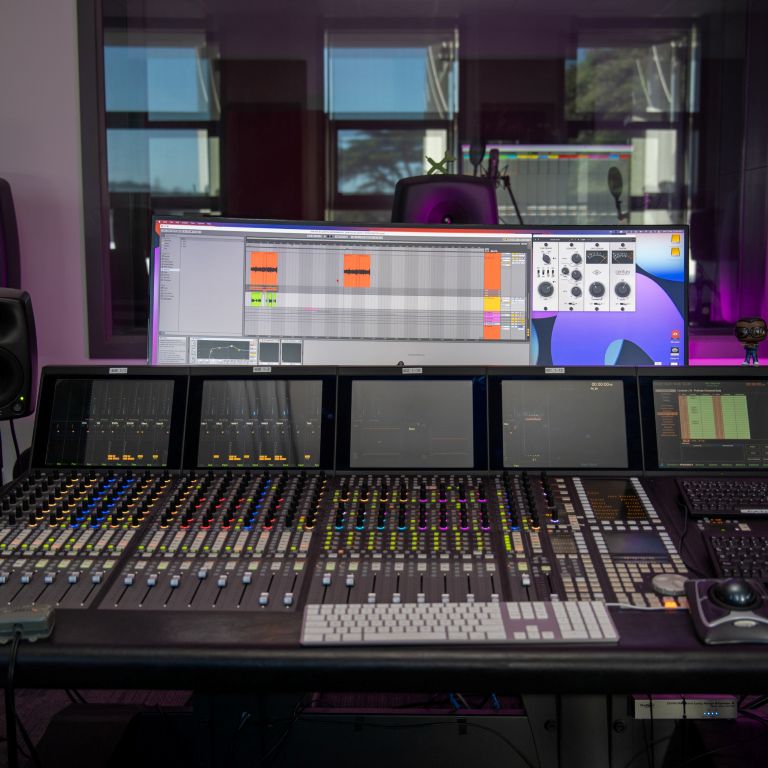
Why This Course?
Our course is designed for passionate music lovers who want to turn their ideas into reality. With our recording studio lessons and practical tips, you’ll gain the confidence to create, produce, and share your own music. Plus, you’ll join a vibrant community of like-minded individuals ready to support and inspire you.
The next date for this course has not been confirmed yet. Check back soon!
If you would like to register your interest, please email enquiry@ratastudios.co.nz.
Course Outline
Week 1: Introduction, UI and Basic Operation. Session and Arrangement Views explanation. Navigating the Browser window. Creating Tracks and Scenes.
Week 2: Audio and MIDI: Difference between tracks, Recording Audio and MIDI. Editing Audio and MIDI regions. Ableton’s instruments. Sampling and Beat Making.
Week 3: Mixing Techniques. Audio and MIDI effects. Automation. Return Tracks. Groups. Audio Warping and Sound Design Techniques.
Week 4: Advanced Mixing Techniques and Finalizing a track. Exporting Audio. Feedback on students projects. Q & A.
Students will learn:
- Music Production and live performance.
- Digital signal flows for Audio and MIDI.
- Audio and MIDI recording and editing fundamentals.
- Different methods to create beats.
- Tools for creative sound design and warping.
- Working with external USB controllers and hardware synthesizers.
- The difference between Audio and MIDI effects.
- The different modes to use Ableton’s sampler.
- Mixing and Mastering in Ableton.
Course Requirements
To make the most of this 4-week course, you’ll need to download and install Ableton Live. We recommend starting with the free trial version, which lasts for 30 days—perfectly aligning with the duration of this course.
Steps to Download Ableton Live:
Visit the Ableton Live Download Page.
Select your operating system (Windows or Mac) and click the download button.
Follow the on-screen instructions to install the software on your computer.
Launch Ableton Live and create your free Ableton account to activate the 30-day trial.
Please make sure to have the software downloaded and installed before our first session. This will ensure you can follow along and fully engage with the course material.
If you have any issues with the download or installation process, don’t hesitate to reach out for support. We want to make sure you have everything you need to get started on your music production journe
| Timing | 2 November 2025 – 23 November 2025 |
|---|---|
| Location | Scots College Drama Rooms |
| Tutors | Luis Rodriguez |
| Target Market | Teens/Adults |
| Price/Student (incl GST) | $390 for 4 x 2.5 hour sessions |
Teens (15-18)

Adults
Tutors

Luis Rodriguez
Music Production Tutor